How to Choose a Gaming PC or Start With Cloud Gaming
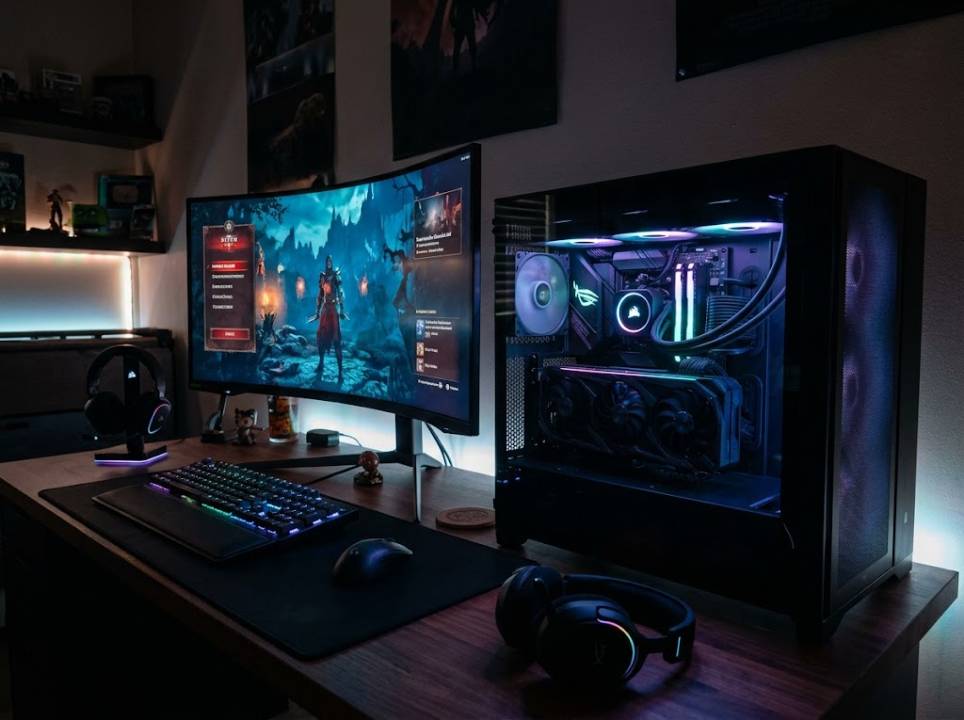
Gaming has never offered more ways to play. You can build or buy a powerful PC, stream games from the cloud to almost any screen, or mix both approaches. Each route has strengths, and the best choice depends on your budget, your internet connection and the games you love.
This guide walks through the main decisions in plain language, so you can spend money where it matters and avoid common mistakes.
Start with the games you want to play
Competitive shooters, open-world adventures and strategy games place different demands on a machine. A fast-paced shooter benefits from a high frame rate, while a story-driven game may prioritise visual detail.
Write down your five favourite games first, then check their recommended specifications before you look at any hardware.
This simple step prevents overspending on parts you will never use and underspending on the ones that matter.
The core parts of a gaming PC
The graphics card, or GPU, usually has the biggest effect on gaming performance. The processor, or CPU, matters for physics, large worlds and streaming. Memory, or RAM, should be at least sixteen gigabytes for modern titles.
Fast solid-state storage cuts loading times, and a good power supply and cooling keep the system stable and quiet. Do not forget the monitor: a high refresh rate screen can improve the experience as much as a faster graphics card.
Independent reviews such as those on PCMag compare components and prebuilt systems in a consistent way.
Prebuilt, custom or laptop
Prebuilt desktops save time and come with a warranty, but may include weak parts or proprietary designs. Building your own gives control and better value, but needs research and patience.
Gaming laptops offer portability at a higher price for the same performance, with more heat and less room for upgrades. Choose a laptop only if you really need to move around.
What cloud gaming offers
Cloud gaming runs the game on a remote server and streams the video to your device. You can play on a modest laptop, a tablet or a smart TV without buying expensive hardware.
The trade-offs are internet quality, monthly fees and a library limited to what the service offers. A stable wired connection and low latency are essential for a smooth experience.
Internet requirements
For cloud gaming, aim for a reliable connection with enough speed for high-quality video and, above all, low delay. Wi-Fi interference can cause stutter, so a cable or a good router makes a noticeable difference.
Test your connection at the time you usually play, since evenings can be busier than mornings.
Budget and upgrade path
Decide how much you can spend and reserve part of it for the monitor and peripherals. A balanced mid-range system often beats an unbalanced build with one expensive part.
Choose a motherboard and power supply that leave room for upgrades, so that you can replace the graphics card or add memory in a few years.
Games for a global audience
Many studios release games in dozens of languages, and good localisation affects reviews and sales. Menus, subtitles, voice acting and even jokes must feel natural to local players.
Studios that plan carefully often use specialised game localization services to adapt text, audio and cultural references for each market.
This article on subtitle translation errors in streaming shows how poor translation can spoil an otherwise great experience.
Setting up for comfort
Place your monitor at eye level, keep your wrists relaxed and take breaks. A comfortable chair and good lighting reduce fatigue during long sessions.
Use headphones for immersive sound, and adjust the display brightness to avoid eye strain in a dark room.
Maintenance and longevity
Dust slows cooling and shortens the life of components. Clean filters and fans every few months, keep drivers updated and watch temperatures during demanding games.
A well-maintained mid-range PC can stay enjoyable for years, while a neglected high-end one can slow down early.
Common mistakes to avoid
Buyers often overspend on the processor while pairing it with a weak graphics card, or buy a powerful card and forget that a slow monitor cannot show its benefits. Others ignore the power supply and discover instability later.
Another mistake is buying based only on brand names or flashy lighting. Read independent benchmarks and compare the real performance in the games you play.
Finally, avoid buying at the very last moment before a big release. Prices often fall after launch, and early reviews show whether a new part lives up to the hype.
Making the final choice
If you already own a decent device and have fast internet, try a cloud service for a month before buying hardware. If you want maximum control, mods and the largest library, a PC is the stronger long-term choice.
Whatever you pick, focus on the experience you want, and let that guide each purchase.